Who Owns Your Website? What Every Business Owner Must Know


Your domain name, hosting account, and website files are business assets — as real as your office lease. Yet thousands of business owners discover, at the worst possible moment, that they don’t actually control them. The freelancer owns the domain. The agency won’t release the files. The web person has gone silent.
Your relationship with a web agency ends. Maybe it was mutual. Maybe it wasn’t. You go to log in and make a change — and realize you don’t have the password. Or the domain is registered under their name. Or the hosting account belongs to them, and they’ve stopped responding.
This happens more often than it should. And when it does, it’s not just inconvenient. It can be catastrophic.
This article tells you exactly what to own, what to ask, and what to do if you’re already in a bad situation.
The Three Digital Assets That Must Be Yours
Before anything else, understand what you’re protecting.
1. Your domain name is your address on the internet. yourcompany.com. It’s where your customers find you, where your emails originate, and where years of SEO authority are stored. If someone else controls it, they control your front door.
2. Your hosting account is the server where your website lives. Think of it as the building. Someone has to pay for it and manage access to it. That someone should be you.
3. Your website files and codebase are the actual built website. The code, the database, the design files. These are the product your agency or developer created for you. At the end of a project, you should walk away with all of it.
If you don’t control all three, you don’t fully own your online presence. That’s not a technicality. It’s a real business risk.
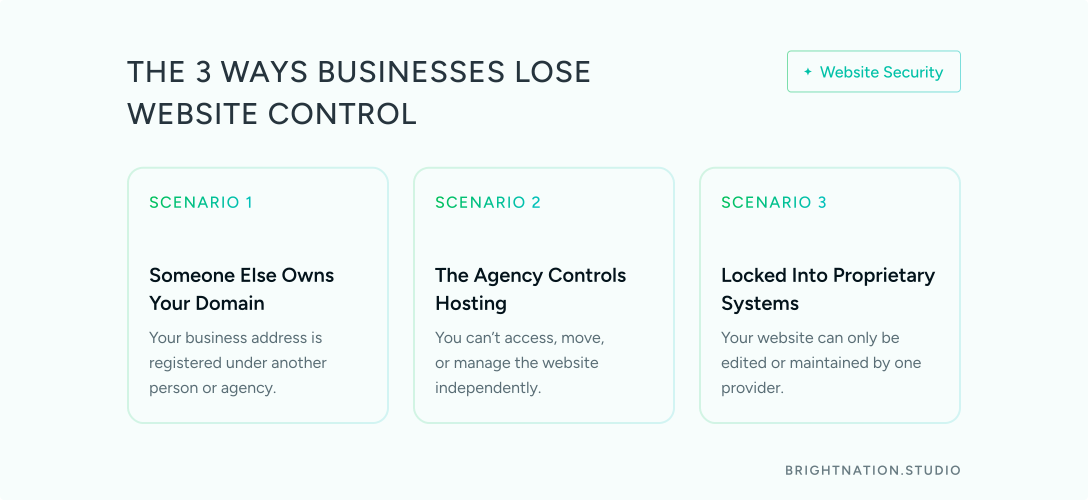
How Business Owners Lose Control
It’s rarely malicious at the start. It’s usually careless. Then the relationship changes, and careless becomes a crisis.
Scenario 1: The Freelancer/Agency Registered Your Domain
They bought yourcompany.com as part of the project setup. It was easier that way. It’s in their account, under their name, attached to their email.
Then they go unresponsive. Or they close their business. Or something worse happens.
You cannot renew the domain, transfer it, or prove ownership without legal proceedings. When that domain lapses, it can be snatched by a domain squatter within days. Your email stops working. Your website disappears. Your SEO history — years of it — is gone.
Scenario 2: The Agency Controls the Hosting and Won’t Let Go
Your site lives on their servers. They manage the relationship with the hosting provider. You never had an account of your own.
When you decide to move on, they either threaten to take the site down or they actually do it. You have no backup, no files, and no leverage. The site you paid for becomes a hostage.
Scenario 3: The Website Was Built in a Proprietary System
Some agencies build on platforms only they can access or modify. You can’t take the site to another developer. You can’t adjust it yourself. The agency has made themselves permanently necessary.
These situations all feel fine at the start. Until they don’t. Then they feel catastrophic.
Your domain name, hosting account, and website files are business assets. As real as your office lease or your bank account.
What Proper Website Domain and Hosting Ownership Looks Like
This isn’t complicated. It just needs to be deliberate from day one.
Your Domain: Always in Your Name
Register your domain yourself at Namecheap, GoDaddy, Cloudflare, or Squarespace Domains (formerly Google Domains). Use your name, your email address, and your payment method.
Your agency or developer can be listed as an authorized contact for technical purposes. They should never be the registrant. That distinction matters legally.
Turn auto-renewal on. A lapsed domain can be picked up by a squatter within 24 to 72 hours of expiration. Store your login credentials somewhere secure, not just in an old email thread.
Your Hosting: Your Account, Even If They Manage It
Create the hosting account yourself. WPEngine, Kinsta, SiteGround, AWS, and Cloudflare Pages are all solid options depending on your site’s needs. Then grant your agency or developer access to work within your account.
If the relationship ends, you revoke their access. Your site stays up. You stay in control.
Ask this question before the project starts: “Will the hosting account be in my name?” If the answer is no, ask why. A good partner will have a clear, reasonable answer.
Your Website Files: You Receive Everything at Handoff
When the project wraps, you should walk away with:
Full website codebase and source files
Database backup
All design files (Figma, PSDs, or equivalent)
Login credentials for every platform used
DNS settings documentation
This is the keys-to-the-car moment. Non-negotiable. A professional partner prepares this as standard practice.
The Questions to Ask Before You Sign Anything
These belong in every proposal conversation, before any contract is signed.
“Will the domain be registered in my name and my account?”
“Will the hosting account be under my control?”
“What do I receive at project handoff — files, credentials, documentation?”
The answers tell you a great deal about who you’re working with.
Green Flags
They ask for your hosting account details — not the other way around
The proposal explicitly lists what you’ll own at project completion
They have a documented handoff checklist
They recommend you register your own domain before the project starts
Red Flags
“We’ll take care of the domain and hosting” with no plan for transferring ownership to you
Their name appears on the domain registration
The proposal mentions deliverables only in terms of visual design, nothing technical
“We built it on our platform” — proprietary systems that lock you in permanently

Let’s get started! Contact us today to discover how we can help.
If You’re Already in This Situation
You’re reading this and realizing something may be off. Here’s what to do right now.
Check your domain. Go to who.is or lookup.icann.org and search your domain name. Look at the registrant name and email address. If it’s not you, contact the current registrant and request a transfer. Do it calmly, in writing, and document everything.
Check your hosting. Who do you pay for hosting? Log into that account. If you don’t have one, find out where the site is actually hosted and create your own account with that provider.
Request a full handoff package. You don’t have to be leaving a relationship to ask for this. Request all files, credentials, and documentation. A professional partner will have these ready or will prepare them without issue. Resistance to handing over your own assets is a significant warning sign.
Back everything up. Use UpdraftPlus for WordPress sites, request a manual FTP download, or use your hosting provider’s built-in backup tools. Back up monthly at minimum. Weekly if your site is active or transactional.
You Built This Business. Own All of It.
Your domain is your address. Your hosting is your building. Your website is your storefront. None of these should be in someone else’s hands.
A trustworthy web partner hands you the keys — gladly. They build in your accounts, deliver everything at the end, and set you up to operate independently. Because the goal is your success, not your dependency.
At Bright Nation Studio, every project ends with a complete handoff: your files, your credentials, your documentation. We work in your accounts, not ours. Because what we build belongs to you — and it should feel that way from day one. Ready to work with a partner who keeps nothing back? Let’s talk